
Thermo
A calm, modern way to run your Daikin One+ from your iPhone. Set the temperature with a turn of the dial — heat or cool, all at a glance.
Your thermostat, without the thermostat.
The Daikin One+ is a great piece of hardware stuck behind a clunky app. Thermo is a calmer front door to it: open your phone, see the temperature at a glance, and nudge it with a dial that actually feels good to use. No menus to dig through, no waiting for a screen to load on the wall.
See it in action
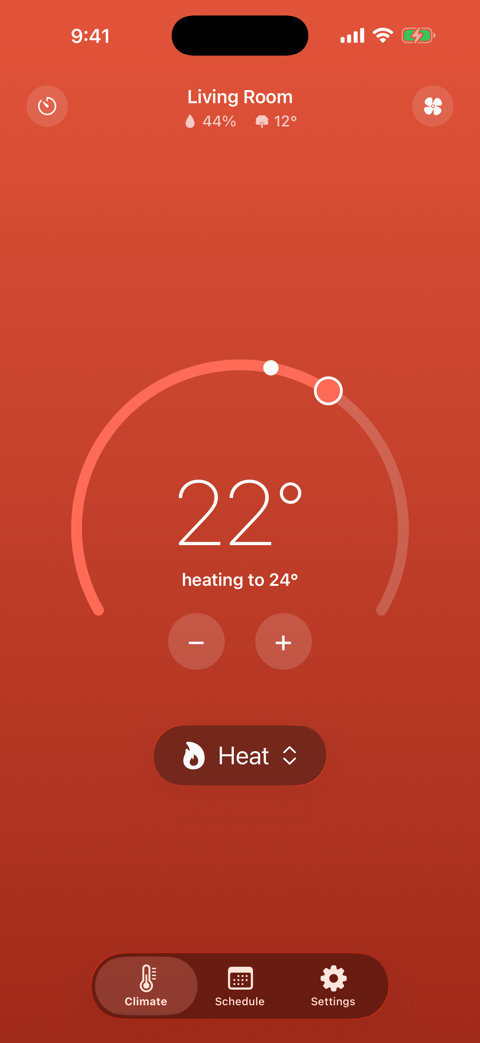
The climate screen while it's heating — and a Home Screen widget that keeps the temperature a glance away.
Connected in a minute
No accounts to create with us. It's just you and Daikin.
Paste your token
Grab an integration token from the Daikin app and paste it into Thermo once. It stays on your device.
See your home
Thermo reads the current temperature, humidity, and mode straight from your thermostat — live.
Turn the dial
Drag to set a target or tap a mode — the change reaches your thermostat in seconds.
What you'll actually use
A tour of the screens you'll open every day.
An arc worth touching
Drag the knob along the arc to set your target, or tap − / + for a fine nudge. The whole screen warms to red for heat and cools to teal, so you know the mode at a glance — even from the doorway.
Every mode, one tap
Auto, heat, cool, off, and emergency heat — no menu diving.
Hold a temperature, on a timer
Need it warmer for the next couple of hours? Pick a temperature and how long to hold it. Thermo keeps it there, then automatically returns to your schedule — or your last setting — when the timer's up.
Hold for
on your Climate screen
Made for people who live with a Daikin One+
If a Daikin One+ keeps your house comfortable, you've probably also noticed:
- The official app takes too many taps to do the one thing you opened it for
- The thermostat's on the wall, but you're on the couch, in bed, or not even home
- You just want to glance at your phone and know if it's heating, cooling, or resting
Thermo turns all of that into one calm screen: see it, turn the dial, done.